THE AMSTRAMGRAM UNIVERSE IN YOUR POCKET
Challenge fate.
Master your destiny.
Stop wasting time deciding. AmStramGram packs 23 legendary tools into one screen — wheel of destiny, tarot, 3D dice, AI oracle, astrology and more.
100% free · No intrusive ads · 6 languages
Web app available now · Android stores rolling out soon
23 Tools. 3 Pillars.
A massive feature catalog, organized into 3 universes.
Decision-Making & Party Games
« Who does the dishes? What's for dinner? »
Replace arguments with fun.
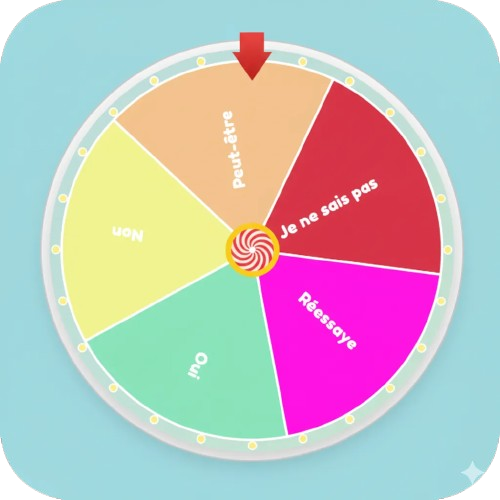
- 🎡Wheel of Destiny — 7 visual themes, Normal or Survival modes.
- ✋Touch Roulette & Short Straw — place your fingers, the app picks in 3 seconds.
- 😈Truth or Dare — Soft, Fun and Spicy modes.
- +Rock-Paper-Scissors online, Weighted Decider, Hot Potato Timer…
Divination & Mysticism
« Ask the cosmos and artificial intelligence. »
A one-of-a-kind esoteric suite.
- 🤖AI Crystal Ball — Gemini oracle reads your astro vibes live.
- Marseille Tarot — Daily, Destiny or Crossroads spreads.
- 💭Dream Oracle — 500+ mythological symbols in 6 languages.
- +Destiny Stones (Urim & Thummim), Geographic Compass…
Casino & Pure Chance
« The thrill of a pocket casino. »
Skill and adrenaline included.
- 🎲3D Dice & Coins — ultra-realistic throws (Three.js), D4 to D100.
- 🎩Frantic Shell Game — follow the ball at breakneck speed.
- 🍒Slot Machine & Lottery Generator — earn bonuses or play EuroMillions.
- +Blackjack, War, Royal Roulette to bet your XP…
Why they get hooked
AmStramGram is a game in itself — every action earns XP.
XP & Levels
Every roll, draw and decoded dream earns experience to level up.
Prestige System
Hit max level and trigger a Rebirth (Prestige 0–9) to prove your luck.
Trophies & Archetypes
Complete daily missions and unlock secret achievements based on your play style.
Personal Astro Dashboard
Enter your birth date and the app generates your personalized Destiny Weather every morning — sun sign, Chinese sign and rising sign combined.
PWA Installation Guide
Ultra-light, auto-updated, launches instantly from your home screen. It barely uses any storage.
On Android (Chrome)
Tap the ⚡ Install the app button at the top of this page, or open the 3-dot menu in Chrome and select « Add to Home screen ».
On iOS (Safari)
Tap the Share button (square with upward arrow) at the bottom of Safari, scroll the options and select « Add to Home Screen ».
On PC / Mac
Click the small install icon on the right of your browser's address bar (Chrome, Edge). The app installs in seconds.
Open this page in Chrome or Edge to see the install button.
Total privacy
Your lists and settings are saved via Firebase Firestore. No data reselling, ever.
Indie Studio
A project proudly powered by Goodheart Studio, built with passion to deliver the cleanest gaming experience on the web.